
Abstract: Using a front-end development framework can greatly simplify the development process, and the sites you build are cross-browser, consistent, and responsive. This article collects 14 responsive front-end development frameworks, and points out the UI components and JavaScript plugins each one includes. Almost all of the frameworks adopt a responsive grid system. Front-end development is not an easy job: you need to master not only HTML, CSS and JavaScript, but also, for different browser versions and platforms, to understand how to design cross-platform websites. These days, with responsive design becoming popular, front-end development is getting harder and taking longer. This article collects 14 responsive front-end development frameworks that can help front-end developers greatly simplify the development process. For each framework, the article points out the UI components and JavaScript plugins it includes. Almost all of the frameworks adopt a responsive grid system. Using these front-end frameworks has the following benefits: Cross-browser. This has already been proven. Consistency. UI components such as navigation, buttons, labels, forms, drop-down boxes, tables… stay consistent in style. Rapid development. You can build layouts quickly and easily. These frameworks all ship with detailed documentation. Responsive. All CSS components and JavaScript plugins transition nicely from desktop to mobile devices. InK

Ink is an interface toolkit for rapidly developing web interfaces, with the characteristics of being easy to use and easy to extend. It provides solutions for building layouts, can display ordinary interface elements, and can achieve content-centric, user-friendly interaction. HTML&CSS: layout, navigation, typography, icons, forms, tooltips, tables JS: Gallery, tables, tree view, sortable lists, date picker plugin, tabs, form validation and some behaviors (dock, collapse, close) Other: Sass Mixins GroundworkCSS Beta
GroundworkCSS is an open source project based on the Sass preprocessor, mainly used to quickly build responsive web applications. It has a flexible, nestable grid system that lets you create layouts adapted to many kinds of browsing devices. GroundworkCSS also provides many UI components, such as navigation, buttons, icons, forms, Tabs, dialogs, tooltips and more. HTML&CSS: grid, layout, typography, buttons, headings, forms, icons, social icons, responsive text, dialogs, tooltips JS: navigation, tabs (Tab), tooltips, Cycle2 Other: Sass Mixins Ivory

This is a flexible, powerful responsive web framework that makes web development faster and simpler. HTML&CSS: grid, typography, forms, buttons, tooltips, pagination, breadcrumbs, lists, tables JS: tooltips, tabs (Tab), toggle switch, accordion ZURB

Foundation is designed by ZURB, a product design company located in Campbell, California. Foundation is a state-of-the-art responsive front-end development framework, with plenty of layout templates, CSS stylesheets and excellent JavaScript plugins of its own making. HTML&CSS: grid, layout templates, icon fonts, responsive tables, SVG social icons, pagination, breadcrumbs, side navigation, buttons, typography, labels, tooltips, panels, price tables, progress bars, tables, thumbnails JS: drop-down buttons, split buttons, switches, Flex Video, lightbox, drop-downs, responsive layout (achieved by scaling images), Joyride, Magellan Sticky Nav, Orbit image slider plugin, etc. Other: Custom Skinned Forms, SCSS Mixin Grumby
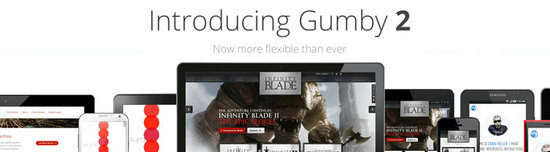
Gumby 2 is built on Sass. Sass is a powerful CSS preprocessor, and with it Gumby can be developed quickly. HTML&CSS: grid, forms, buttons, navigation, labels, Entypo icons JS: drop-downs, popovers, tabs (Tab), Toggles & Switches Other: Custom Skinned Forms, SASS and Compass HTML KickStart

This framework combines HTML5, CSS and JavaScript to help developers build web products quickly. It covers all the UI components and also includes some useful JavaScript plugins. HTML&CSS: grid, typography buttons, lists, tables, icons, breadcrumbs, images, forms JS: menus, code highlighting plugin, tabs (Tab), slideshow, form validation Other: CSS help documentation Maxmertkit
Maxmertkit has complete documentation, includes a large number of examples, and offers a drag-and-drop code generation feature. HTML&CSS: grid, layout, badges, buttons, forms, icons, labels, menus, progress bars, tables, drop-downs, tooltips JS: buttons, carousel, notifications, popovers, scrollbars, tabs (Tab) Other: Sass, CoffeeScript Twitter Bootstrap

Everyone is already quite familiar with Twitter Bootstrap. Thanks to its comprehensive UI components and easy-to-use grid and components, Bootstrap has become many designers’ and developers’ favorite rapid development tool. Plenty of third-party Bootstrap programs and JavaScript plugins are now available for use. HTML&CSS: grid, layout, typography, code, tables, forms, buttons, images, icons, button groups, navigation, breadcrumbs, pagination, labels, badges, thumbnails, tooltips, progress bars JS: Modals, Tool Tips, Popovers, Scrollspy, Carousel, Typeahead, and so on. Other: Customizer, LESS CSS Skeleton

Skeleton is a small collection of JS and CSS files that helps you quickly build beautiful websites, suitable for all kinds of screen devices, including phones. Skeleton is built on 960 Grid and is a UI framework. HTML&CSS: GRid, typography, buttons, forms, Media Queries Kube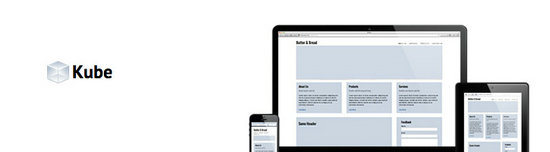
Kube is a minimal, responsive-capable front-end framework, including a concise CSS file for conveniently creating responsive layouts, plus two JS files that handle Tab and page button operations. HTML&CSS: typography, grid, forms, tables, buttons, navigation, icons JS: buttons, tabs (Tab) Other: LESS CSS Helium

Helium is a responsive front-end web framework that uses HTML5 and CSS3 to quickly prototype and build products. Helium is a lot like Twitter Bootstrap and ZURB Foundation; in fact, Helium uses quite a bit of code from both. But unlike those two frameworks, Helium is designed to be more lightweight and easier to modify. Helium is only about 30KB, while Bootstrap is 100KB and ZURB is more than 200KB. HTML&CSS: grid, buttons, typography, forms JS: drop-downs, form validation Other: Sass, Compass The Markup Framework

Markup is a framework that brings together layout, widgets, UI components and typographic styles. It can serve as the starting point for designing your own website. HTML&CSS: layout, grid, typography, forms, buttons, breadcrumbs, navigation lists, navigation menus JS: no JavaScripts, pure CSS Topcoat

TopCoat is a free, open source library of UI element classes. The whole library uses no JavaScript at all; it is generated with CSS and HTML. HTML&CSS: icons, fonts, buttons, breadcrumbs, forms, drop-downs, sliding switches, selects, scrollbars, toggle buttons JS: no JavaScripts, pure CSS PureCSS

Pure is a fairly small framework, only 5.7KB after compression and minification. It uses no JavaScript at all, just HTML and CSS. The CSS framework is responsive, uses a modular structure, and each module’s styles can be used separately. HTML&CSS: grid, typography, forms, buttons, tables, menus JS: no JavaScripts, pure CSS Other: Skin Builder, YUI library. Conclusion Choose, according to your needs, the framework that matches your design. We should not build a website around a framework, because that greatly limits the designer’s thinking. If front-end design/layout is not that important, then we can freely choose to use any framework. Originally reposted from: http://cloudbbs.org/forum.php?mod=viewthread&tid=28314


