
1. Search for the elasticsearch image in the container registry; the result looks like the screenshot, generally pick the topmost one.
sudo docker search elasticsearch
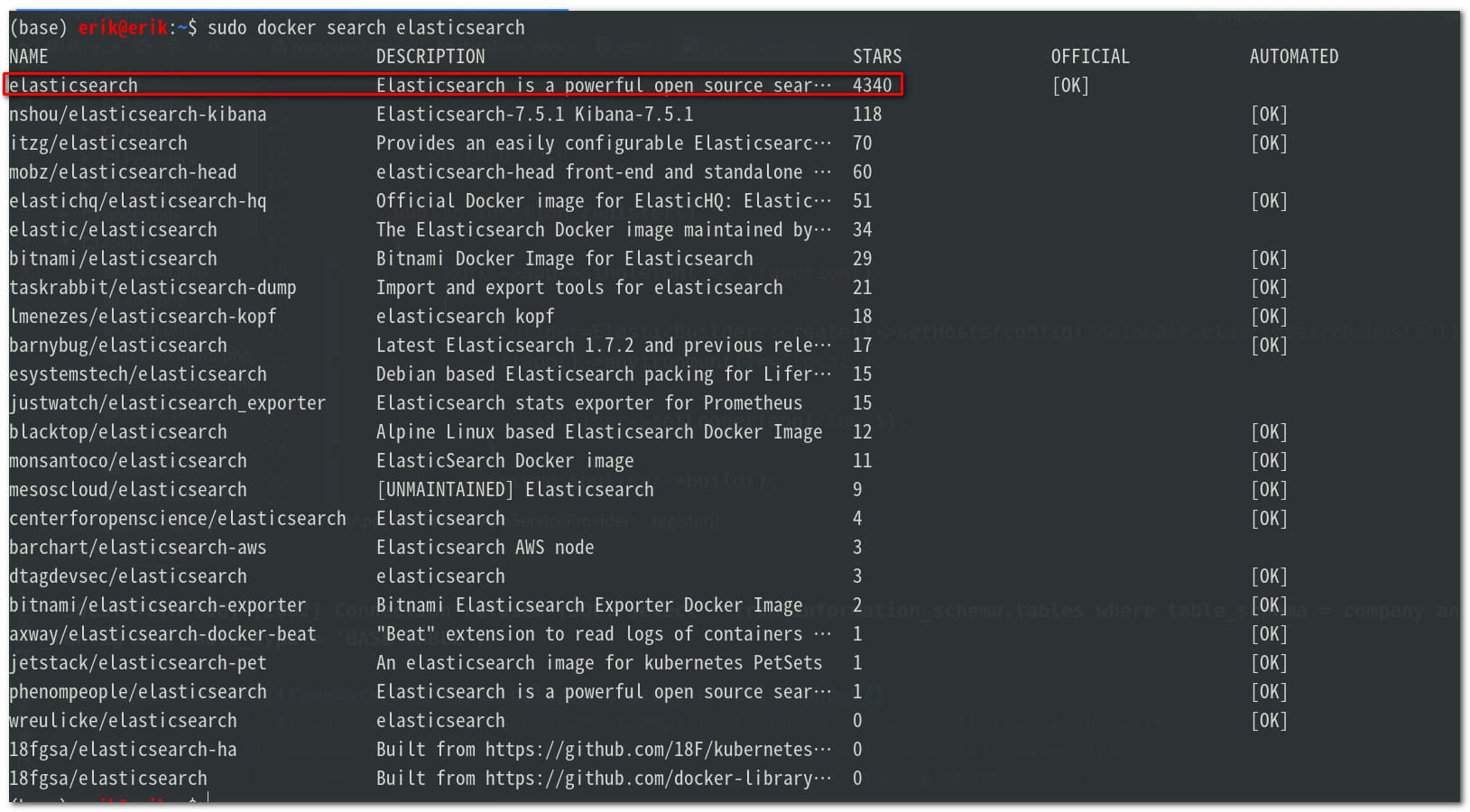
2. Check the elasticsearch version on the official elasticsearch website; I’m using the latest 7.6.2
3. Pull the image to your machine
sudo docker pull elasticsearch:7.6.2
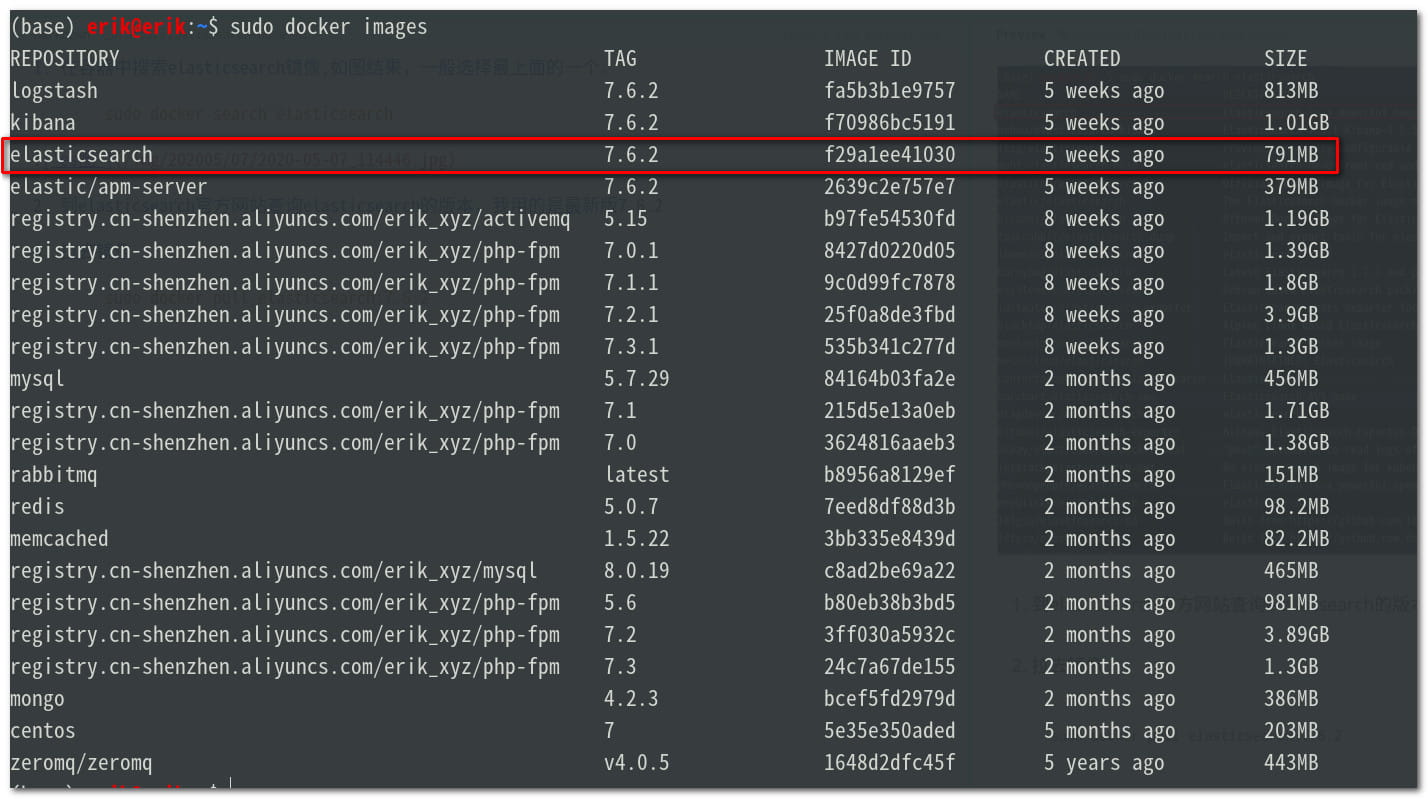
4. List the local images, find elasticsearch, as shown below
sudo docker images
5. Create local mount directories
mkdir -p es/node1 es/node2 es/node3 && mkdir es/node1/config es/node1/data es/node1/log es/node1/plugins es/node2/config es/node2/data es/node2/log es/node2/plugins es/node3/config es/node3/data es/node3/log es/node3/plugins
config holds configuration files
data holds data
log holds logs
plugins holds plugins
Grant read and write permission on the directories
sudo chmod -R 777 es/node1 es/node2 es/node3
6. Create the configuration files
node1’s configuration file es/node1/config/config.yml
#cluster name
cluster.name: erik-es
#name of the current node
node.name: node1
#whether it is eligible to run for master node
node.master: true
#whether to store data
node.data: true
#maximum number of cluster nodes
node.max_local_storage_nodes: 3
#custom attributes for the current node (can be omitted)
#node.attr.rack: r1
#data archive location
path.data: /usr/share/elasticsearch/data
#log storage location
path.logs: /usr/share/elasticsearch/log
#whether to lock memory on startup (default is yes)
#bootstrap.memory_lock: true
#set the gateway address; this one really killed me, I originally filled in my actual physical IP address here,
#and then startup kept reporting an invalid IP address, unable to bind port 9300; here you only need to put 0.0.0.0
network.host: 0.0.0.0
#set the ip address for other nodes to interact with this node; if not set it will determine automatically, the value must be a real ip address, set it to the current physical machine's address,
#if the node is installed with docker the IP will be the configured IP rather than the docker gateway ip
network.publish_host: 172.18.0.2
#set the mapped port
http.port: 9200
#port for internal communication between nodes
transport.tcp.port: 9300
#cluster discovery defaults to 127.0.0.1:9300; if you want to form a cluster containing nodes on other hosts, if you are building a cluster you need to fill this in
#a config added after es7.x, writes the device addresses of the candidate master nodes, which can be elected as master after the service starts, that is, write down all the nodes
discovery.seed_hosts: ["172.18.0.2:9300","172.18.0.3:9301","172.18.0.4:9302"]
#when you are building a cluster, pick out the qualified node cluster; some people explain it way too officially,
#basically, let you pick a few of the better nodes, and when your node starts, choose one of these nodes to be the leader,
#if you don't set it, elasticsearch will elect on its own; here we write down all three nodes
cluster.initial_master_nodes: ["node1","node2","node3"]
#prevent initial recovery after the cluster has fully restarted until N nodes have started
#simply put, how many nodes must come back at minimum after the cluster starts before this service can be used, otherwise it cannot be used,
gateway.recover_after_nodes: 2
#whether deleting an index requires showing its name, default is to show
#action.destructive_requires_name: true
node2’s configuration file es/node2/config/config.yml
  #cluster name
  cluster.name: erik-es
  #name of the current node
  node.name: node2
  #whether it is eligible to run for master node
  node.master: true
  #whether to store data
  node.data: true
  #maximum number of cluster nodes
  node.max_local_storage_nodes: 3
  #custom attributes for the current node (can be omitted)
  #node.attr.rack: r1
  #data archive location
  path.data: /usr/share/elasticsearch/data
  #log storage location
  path.logs: /usr/share/elasticsearch/log
  #whether to lock memory on startup (default is yes)
  #bootstrap.memory_lock: true
  #set the gateway address; this one really killed me, I originally filled in my actual physical IP address here,
  #and then startup kept reporting an invalid IP address, unable to bind port 9300; here you only need to put 0.0.0.0
  network.host: 0.0.0.0
  #set the ip address for other nodes to interact with this node; if not set it will determine automatically, the value must be a real ip address, set it to the current physical machine's address,
  #if the node is installed with docker the IP will be the configured IP rather than the docker gateway ip
  network.publish_host: 172.18.0.3
  #set the mapped port
  http.port: 9201
  #port for internal communication between nodes
  transport.tcp.port: 9301
  #cluster discovery defaults to 127.0.0.1:9300; if you want to form a cluster containing nodes on other hosts, if you are building a cluster you need to fill this in
  #a config added after es7.x, writes the device addresses of the candidate master nodes, which can be elected as master after the service starts, that is, write down all the nodes
  discovery.seed_hosts: ["172.18.0.2:9300","172.18.0.3:9301","172.18.0.4:9302"]
  #when you are building a cluster, pick out the qualified node cluster; some people explain it way too officially,
  #basically, let you pick a few of the better nodes, and when your node starts, choose one of these nodes to be the leader,
  #if you don't set it, elasticsearch will elect on its own; here we write down all three nodes
  cluster.initial_master_nodes: ["node1","node2","node3"]
  #prevent initial recovery after the cluster has fully restarted until N nodes have started
  #simply put, how many nodes must come back at minimum after the cluster starts before this service can be used, otherwise it cannot be used,
  gateway.recover_after_nodes: 2
  #whether deleting an index requires showing its name, default is to show
  #action.destructive_requires_name: true
node3’s configuration file es/node3/config/config.yml
  #cluster name
  cluster.name: erik-es
  #name of the current node
  node.name: node3
  #whether it is eligible to run for master node
  node.master: true
  #whether to store data
  node.data: true
  #maximum number of cluster nodes
  node.max_local_storage_nodes: 3
  #custom attributes for the current node (can be omitted)
  #node.attr.rack: r1
  #data archive location
  path.data: /usr/share/elasticsearch/data
  #log storage location
  path.logs: /usr/share/elasticsearch/log
  #whether to lock memory on startup (default is yes)
  #bootstrap.memory_lock: true
  #set the gateway address; this one really killed me, I originally filled in my actual physical IP address here,
  #and then startup kept reporting an invalid IP address, unable to bind port 9300; here you only need to put 0.0.0.0
  network.host: 0.0.0.0
  #set the ip address for other nodes to interact with this node; if not set it will determine automatically, the value must be a real ip address, set it to the current physical machine's address,
  #if the node is installed with docker the IP will be the configured IP rather than the docker gateway ip
  network.publish_host: 172.18.0.4
  #set the mapped port
  http.port: 9202
  #port for internal communication between nodes
  transport.tcp.port: 9302
  #cluster discovery defaults to 127.0.0.1:9300; if you want to form a cluster containing nodes on other hosts, if you are building a cluster you need to fill this in
  #a config added after es7.x, writes the device addresses of the candidate master nodes, which can be elected as master after the service starts, that is, write down all the nodes
  discovery.seed_hosts: ["172.18.0.2:9300","172.18.0.3:9301","172.18.0.4:9302"]
  #when you are building a cluster, pick out the qualified node cluster; some people explain it way too officially,
  #basically, let you pick a few of the better nodes, and when your node starts, choose one of these nodes to be the leader,
  #if you don't set it, elasticsearch will elect on its own; here we write down all three nodes
  cluster.initial_master_nodes: ["node1","node2","node3"]
  #prevent initial recovery after the cluster has fully restarted until N nodes have started
  #simply put, how many nodes must come back at minimum after the cluster starts before this service can be used, otherwise it cannot be used,
  gateway.recover_after_nodes: 2
  #whether deleting an index requires showing its name, default is to show
  #action.destructive_requires_name: true
7. Create the network
If you need to install kibana or others, you need to create a network, name it whatever you like, and put them on the same network so that elasticsearch and kibana can communicate; the network name is customizable
sudo docker network create es-net
Check the networks that have been created, as shown below
sudo docker network ls

8. Create the nodes
node1
sudo docker run --privileged -ti -e ES_JAVA_OPTS="-Xms512m -Xmx512m" --network es-net -d -p 9200:9200 -p 9300:9300 -v /home/project/es/node1/config/elasticsearch.yml:/usr/share/elasticsearch/config/elasticsearch.yml -v /home/project/es/node1/plugins:/usr/share/elasticsearch/plugins -v /home/project/es/node1/data:/usr/share/elasticsearch/data -v /home/project/es/node1/log:/usr/share/elasticsearch/log --name es-node1 elasticsearch:7.6.2At this point you’ll find that after a while the container node es-node1 stops on its own. Check the container log, as shown below

The local system’s maximum virtual value is too small; usually it’s just that it wasn’t set locally and the default was used. Open
sudo leafpad /etc/sysctl.confLook for vm.max_map_count in sysctl.conf; if you can’t find it, add vm.max_map_count=262144
Exit the editor and reload the settingssudo sysctl -pRestart es-node1
Query the current IP address of the container es-node1
sudo docker inspect es-node1 | grep '"IPAddress"'Then change the network.publish_host and discovery.seed_hosts addresses in es-node1’s configuration file; the other two nodes are the same.
node2
sudo docker run --privileged -ti -e ES_JAVA_OPTS="-Xms512m -Xmx512m" --network es-net -d -p 9201:9201 -p 9301:9301 -v /home/project/es/node2/config/elasticsearch.yml:/usr/share/elasticsearch/config/elasticsearch.yml -v /home/project/es/node2/plugins:/usr/share/elasticsearch/plugins -v /home/project/es/node2/data:/usr/share/elasticsearch/data -v /home/project/es/node2/log:/usr/share/elasticsearch/log --name es-node2 elasticsearch:7.6.2
Change the configuration ip the same as node1
node3
sudo docker run --privileged -ti -e ES_JAVA_OPTS="-Xms512m -Xmx512m" --network es-net -d -p 9202:9202 -p 9302:9302 -v /home/project/es/node3/config/elasticsearch.yml:/usr/share/elasticsearch/config/elasticsearch.yml -v /home/project/es/node3/plugins:/usr/share/elasticsearch/plugins -v /home/project/es/node3/data:/usr/share/elasticsearch/data -v /home/project/es/node3/log:/usr/share/elasticsearch/log --name es-node3 elasticsearch:7.6.2
Change the configuration ip the same as node1
After modifying the configuration files of all nodes, remember to restart all nodes.
9. Test the result
Enter this in the browser (the ip is my local one) http://172.18.0.2:9200/_cat/nodes?pretty
It shows as below
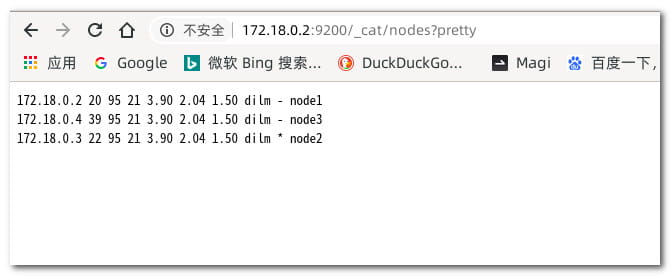
which means success
10. Install Kibana
Pull Kibana in docker
sudo docker pull kibana:7.6.2
Create the kibana directory and add the file
    sudo chmod -R 777 kibana/config

    leafpad kibana/config/kibana.yml
Contents of the configuration file
#Kibana's mapped port
server.port: 5601

#gateway address
server.host: "0.0.0.0"

#the name that the Kibana instance shows externally
server.name: "kibana-192.168.31.190"

#Elasticsearch's cluster addresses, that is, all the cluster IPs
elasticsearch.hosts: ["http://172.18.0.2:9200","http://172.18.0.3:9201","http://172.18.0.4:9202"]

#set the page language, use zh-CN for Chinese, en for English
i18n.locale: "zh-CN"

#haven't quite figured out this config yet……………………
xpack.monitoring.ui.container.elasticsearch.enabled: true
Install the container
sudo docker run --privileged -ti -d -p 5601:5601 -v /home/project/kibana/config/kibana.yml:/usr/share/kibana/config/kibana.yml --network es-net --name kibana kibana:7.6.2
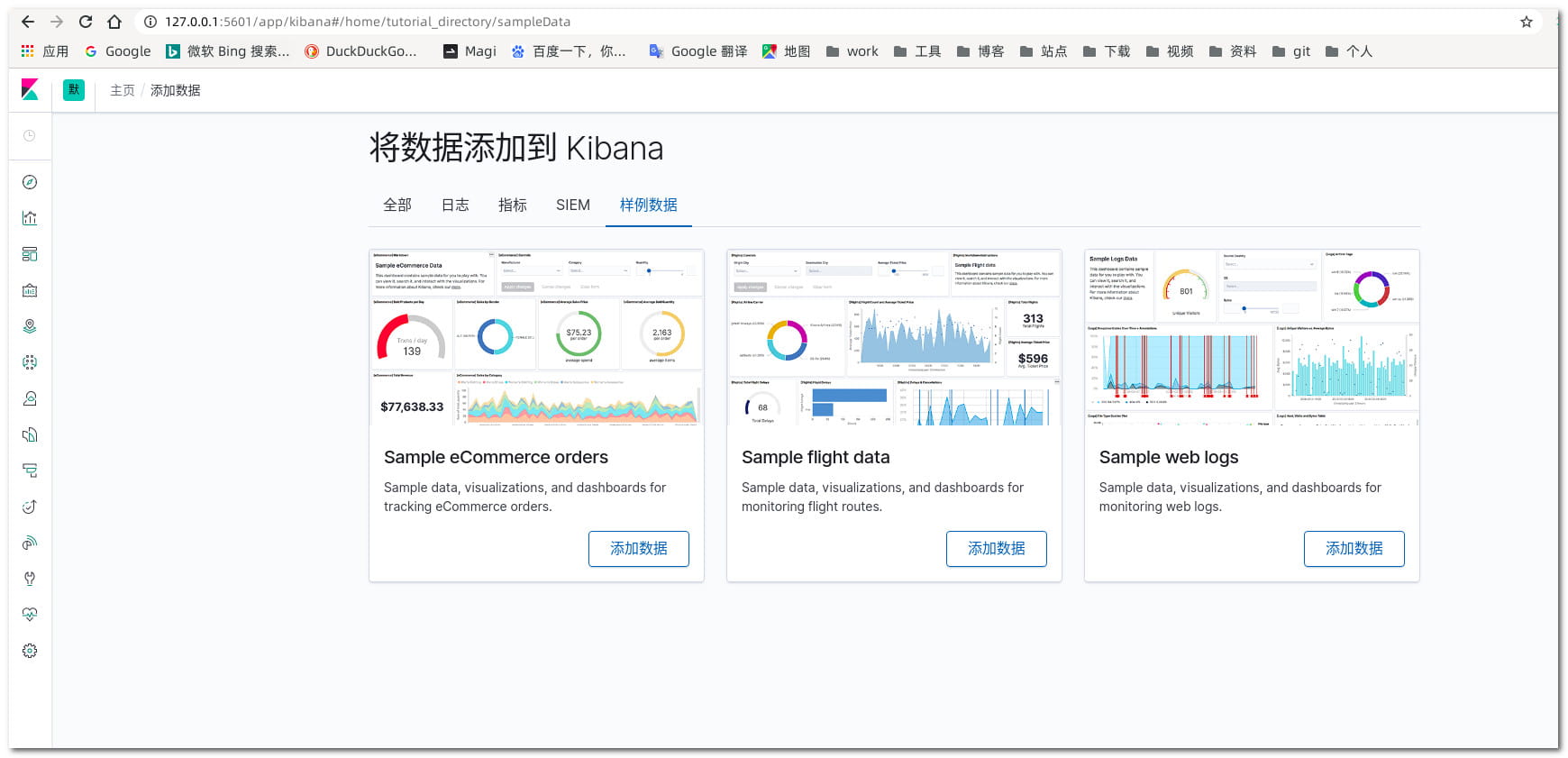
Once it succeeds, enter the address in the browser (the first startup will be fairly slow) http://127.0.0.1:5601, it shows as below
Reference article: https://blog.csdn.net/gfk3009/article/details/104560431/


