
农业检测系统设计
根据你的需求,我们将设计一个智能农业系统,通过多种技术手段实现温湿度、光照度监测、设备控制和远程管理。系统的核心功能包括:智能节点监控环境数据、手动和自动控制模式、通过 LoRa 和 4G 通信传输数据、以及通过手机或电脑端进行远程控制。
给我一个需求,还你一个项目——别管它是什么。这就是全栈。
农业检测系统设计
根据你的需求,我们将设计一个智能农业系统,通过多种技术手段实现温湿度、光照度监测、设备控制和远程管理。系统的核心功能包括:智能节点监控环境数据、手动和自动控制模式、通过 LoRa 和 4G 通信传输数据、以及通过手机或电脑端进行远程控制。
Agricultural Monitoring System Design
Based on your requirements, we’ll design a smart agriculture system that uses a combination of technologies to monitor temperature, humidity, and light, control devices, and manage everything remotely. The core features are: smart nodes that monitor environmental data, manual and automatic control modes, data transmission over LoRa and 4G, and remote control from a phone or PC.
使用外置设备,通过串口发送和接收数据。那么,就要在php端有个串口的操作代码。
PHP 的 dio 扩展(Direct I/O)提供了对底层 I/O 操作的访问,包括串口通信。通过 dio 扩展,你可以直接操作串口设备文件(如 /dev/ttyUSB0 或 COM1)来实现串口通信。
To use an external device and send and receive data over a serial port, you need some serial port handling code on the PHP side.
PHP’s dio extension (Direct I/O) provides access to low-level I/O operations, including serial port communication. Through the dio extension, you can directly operate serial port device files (such as /dev/ttyUSB0 or COM1) to implement serial port communication.
First, you need to set up a Maven repository in the internal network environment. Common private Maven repository tools are:
The following are the simple steps to set up Nexus Repository:
Make sure the server or machine on the intranet has the basic environment needed to run a Spring Boot application:
由于系统重启后,新安装的微信一直弹出框,卡在那难受。立马强制重启,开机后就一直显示You are in emergency mode……一堆东西,意思是说让进入root用户,查看报错并修复。
有点头大了。
系统命令可以显示,图形界面不显示。
After the system restarted, the freshly installed WeChat kept popping up dialog boxes and got stuck there, which was unbearable. I force-restarted right away, and after booting it kept showing “You are in emergency mode……” and a pile of stuff, meaning it wanted me to log in as root, check the error and fix it.
Kind of a headache.
System commands would display, but the graphical interface would not.
有时候感觉MySQL我们懂了,Redis我们懂了,但是面试的时候一直答不好,经常被难住,问题在哪呢?
答案是:面试官考的不是专项能力,而是多项技术结合应用能力。
就拿并发场景下如何保证MySQL与Redis缓存一致性?这个面试官常见的拷打考点举例。
对于读多写少并且要求高性能的业务逻辑,我们通常在应用服务器访问MySQL数据库的中间加上一层Redis缓存层,以提高数据的查询效率,减轻MySQL数据库的压力,避免在MySQL出现性能瓶颈。
Sometimes it feels like we understand MySQL, and we understand Redis, yet in interviews we never answer well and are constantly stumped. Where is the problem?
The answer is: what the interviewer is testing is not a single-area skill, but the ability to apply several technologies in combination.
Take the interviewer’s classic torture-test question — how do you guarantee MySQL and Redis cache consistency in a concurrent scenario? — as an example.
For business logic that reads a lot, writes little and demands high performance, we usually add a Redis cache layer between the application server and the MySQL database, to improve query efficiency, relieve the pressure on MySQL, and avoid a performance bottleneck in MySQL.
1. 禁止暂停、快进等操作
可以通过将 controls 属性从 <video>元素中移除,防止用户通过控制条进行操作。然后通过 JavaScript 强制控制视频播放的状态,不允许用户暂停或快进。
1. Disabling pausing, fast-forwarding and other actions
You can remove the controls attribute from the <video> element to stop users from operating it via the control bar. Then use JavaScript to force the video’s playback state, not allowing the user to pause or fast-forward.
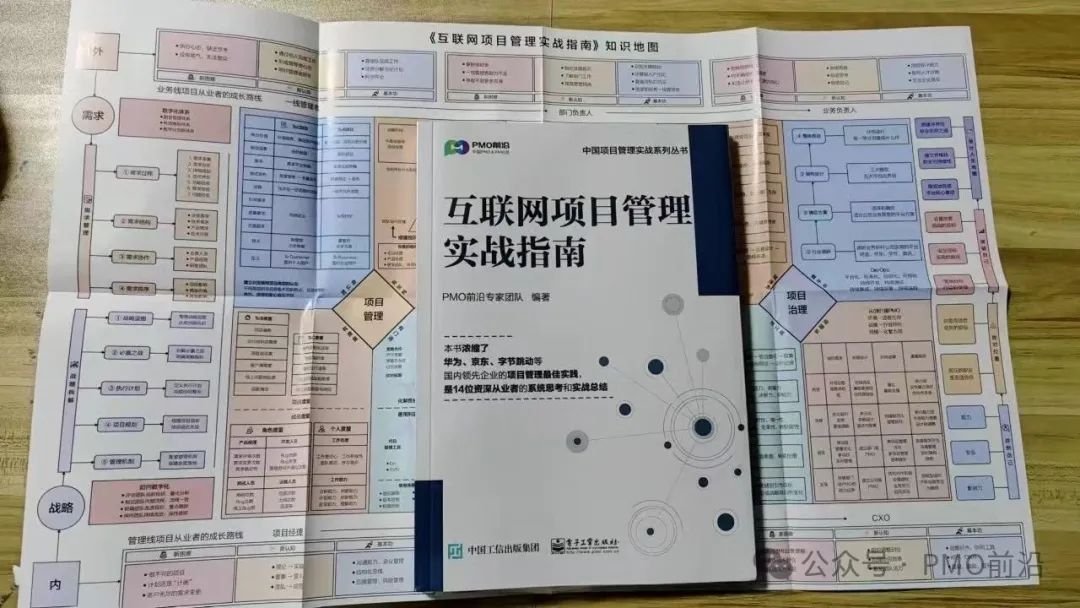
如何系统的掌握互联网项目管理知识和经验,我搜罗世面上基本没有介绍这方面的图书,为此咱们去年年初,组织咱们前沿社区的众多大咖联合电子工业出版社出版了这本新书《互联网项目管理实战指南》希望可以助大家一臂之力!今天把文章的思维导图干货一起分享给大家!
How do you systematically master the knowledge and experience of internet project management? I searched the market and found basically no books covering this area, so early last year we organized a group of experts from our Frontline community to jointly publish this new book, A Practical Guide to Internet Project Management, with the Publishing House of Electronics Industry, hoping it can give everyone a helping hand! Today I’m sharing the mind map takeaways from the article with you all!
1. 使用磁盘清理工具
Windows 10自带了一个磁盘清理工具,可以用来删除临时文件、系统文件和其他不必要的文件。
2. 删除临时文件
1. Use the Disk Cleanup tool
Windows 10 ships with a Disk Cleanup tool that you can use to delete temporary files, system files and other unnecessary files.
2. Delete temporary files
1、先了解MySQL的执行过程
了解了MySQL的执行过程,我们才知道如何进行sql优化。
1.客户端发送一条查询语句到服务器;
2.服务器先查询缓存,如果命中缓存,则立即返回存储在缓存中的数据;
3.未命中缓存后,MySQL通过关键字将SQL语句进行解析,并生成一颗对应的解析树,MySQL解析器将使用MySQL语法进行验证和解析。例如,验证是否使用了错误的关键字,或者关键字的使用是否正确;
4.预处理是根据一些MySQL规则检查解析树是否合理,比如检查表和列是否存在,还会解析名字和别名,然后预处理器会验证权限;
5.根据执行计划查询执行引擎,调用API接口调用存储引擎来查询数据;
6.将结果返回客户端,并进行缓存;
1. Understand MySQL’s Execution Process First
Only once we understand MySQL’s execution process do we know how to optimize SQL.
The client sends a query statement to the server;
The server checks the query cache first; if the cache is hit, the data stored in the cache is returned immediately;
If the cache is not hit, MySQL parses the SQL statement by keyword and generates a corresponding parse tree; the MySQL parser validates and parses it using MySQL syntax. For example, it verifies whether a wrong keyword was used, or whether keywords are used correctly;
Preprocessing checks whether the parse tree is reasonable according to certain MySQL rules, such as checking whether tables and columns exist; it also resolves names and aliases, and then the preprocessor verifies permissions;
Based on the execution plan, it queries the execution engine, which calls the API to call the storage engine to query the data;
The result is returned to the client and cached;

没有找到匹配的文章 🙈